
YouTube Resume
Never lose your place in a YouTube video again. Automatically resumes where you left off — now with a saved videos panel and settings you control.
Automatic Resume
Saves your position and picks up right where you left off — survives tab closes, crashes, and browser restarts.
Saved Videos Panel
See every video you've been watching with thumbnails, titles, channel names, and progress right from the toolbar.
Settings You Control
Choose your minimum watch time, completion threshold, rewind offset, and toggle the restart button, resume message, and thumbnails.
Ad-Aware & Reliable
Handles pre-roll and mid-roll ads, slow page loads, and YouTube's own navigation so resume fires exactly when it should.
YouTube-Native Look
The restart button and "Resumed from" message match YouTube's own player controls — everything feels built-in.
Privacy First
All data stays on your device. No accounts, no analytics, no tracking. Thumbnails are the only optional network request and can be turned off.
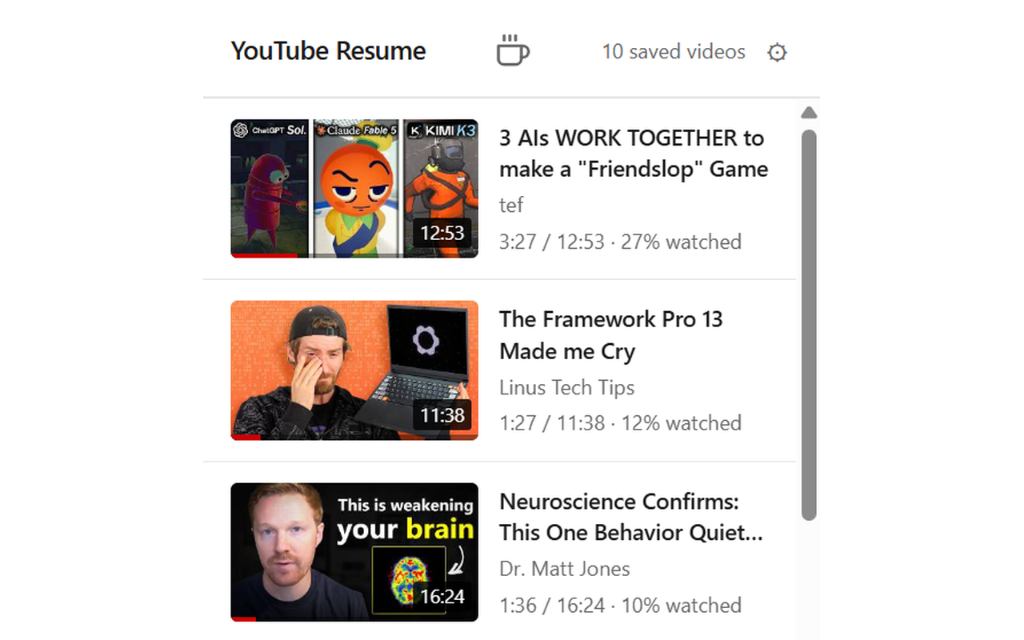
Your watch history, at a glance
See every video you've been watching with thumbnails, titles, channel names, and progress — right from the toolbar icon. Jump back in with one click, or remove entries you no longer need.
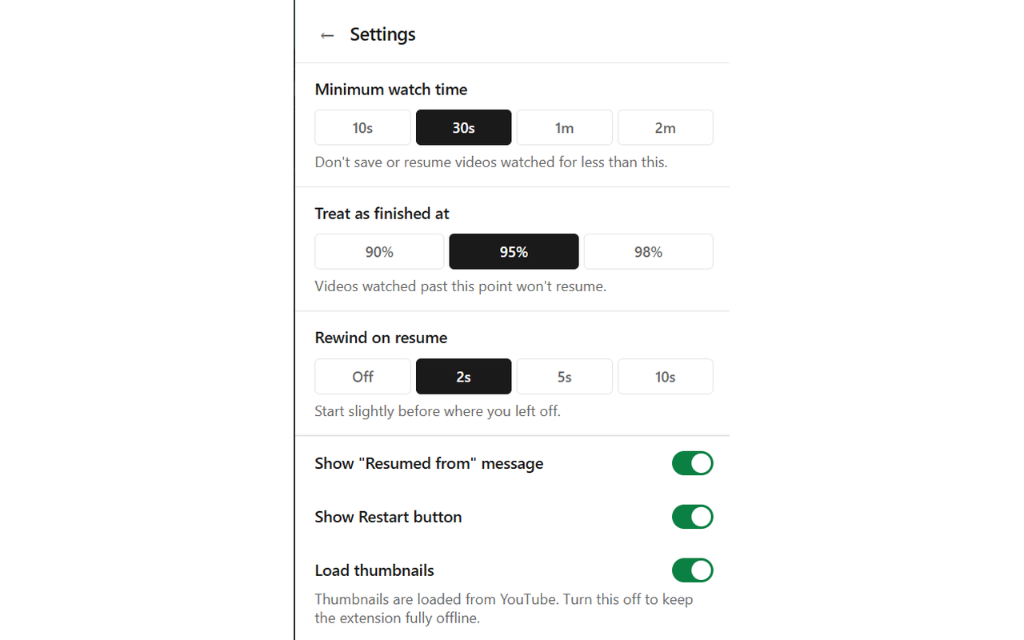
Settings you control
Fine-tune how the extension behaves. Set the minimum watch time before a position is saved, choose when a video counts as "finished," pick how far to rewind on resume, and toggle the restart button, resume message, and thumbnail loading.
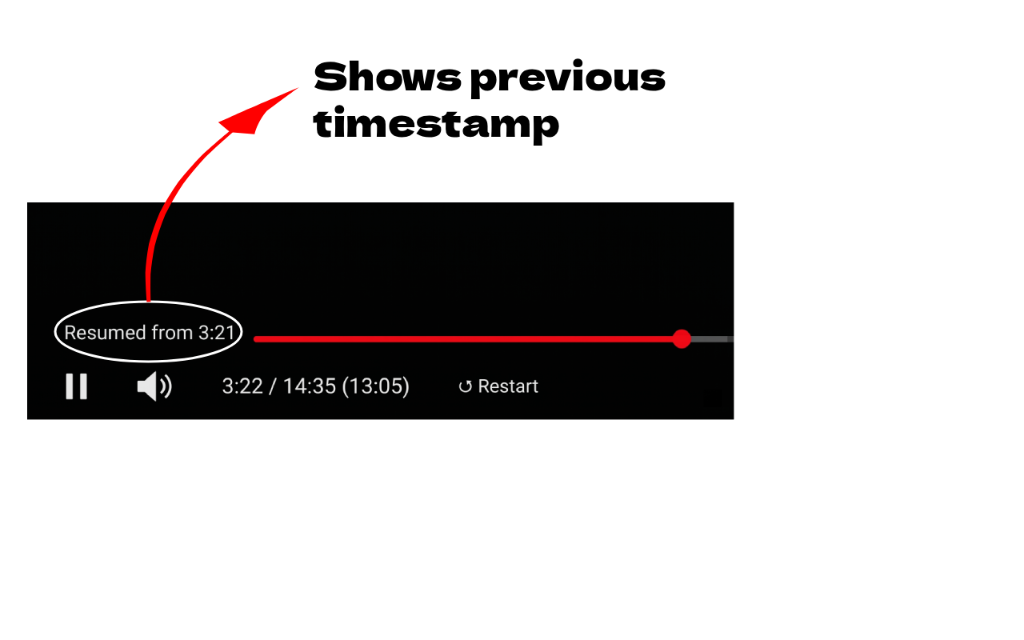
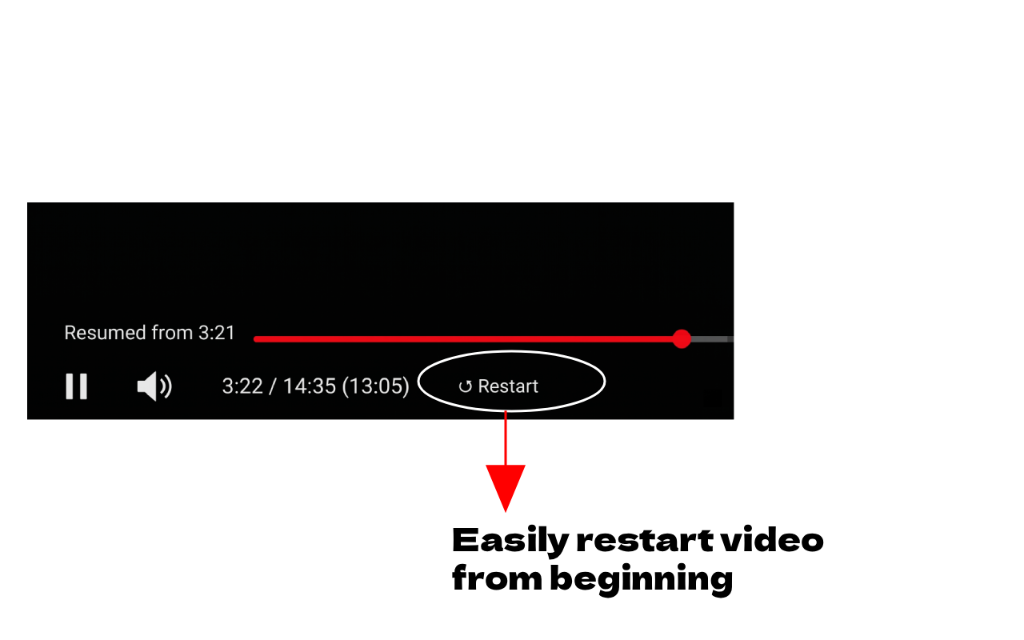
Feels built into YouTube
The "Resumed from" message and restart button are styled to match YouTube's own player controls. You'll see exactly where playback resumed from, and can start over with a single click — or turn either off in Settings.